Vibe Coding with ChatGPT-5 in Cursor IDE
Today, I’ll show you how to use ChatGPT-5 in the Cursor IDE to transform a messy app into a polished product. Are you ready to level up your coding experience? Let’s dive in!
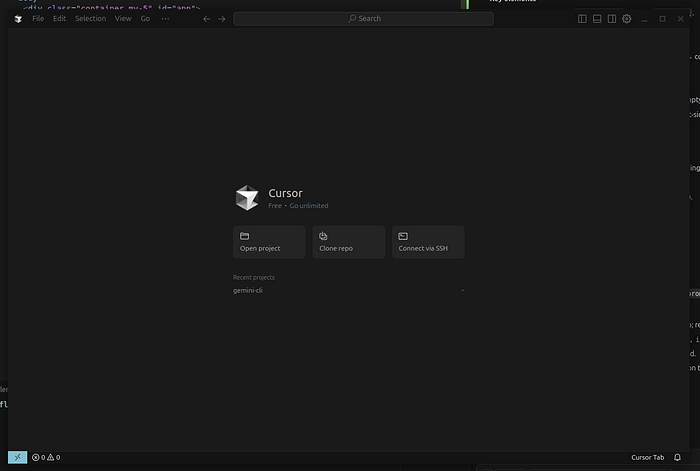
🖥️ What is Cursor and Why Use ChatGPT-5?
Cursor is a code editor that's similar to VS Code but comes with the magic of AI baked in! Here’s what you can do:
- Chat with AI about your code: Get real-time help and suggestions.
- Ask for code changes directly inside the editor: No context switching required! 🙌
- Make multi-file edits in a jiffy: Focus on coding, not on tool navigation.
Using ChatGPT-5 inside Cursor ain’t just a gimmick—it offers:
- Better reasoning for code logic.
- Smarter refactoring to improve code quality.
- Cleaner explanations on what’s happening behind the scenes.
🔌 How to Turn on ChatGPT-5 in Cursor
Ready to enable that shiny AI feature? Here’s how:
-
Open up any project in Cursor.
-
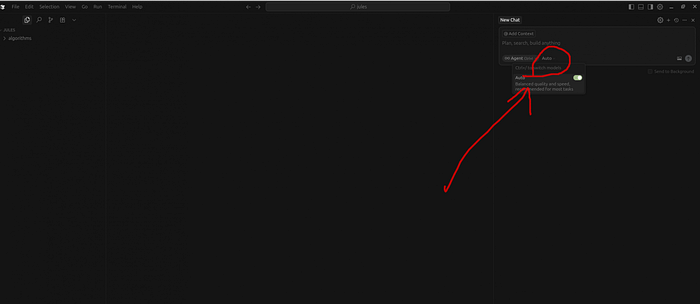
Navigate to the right column with the chat interface.
-
Click on “auto” and toggle it off!
-
Now, you’ll see the GPT-5 model in your options!
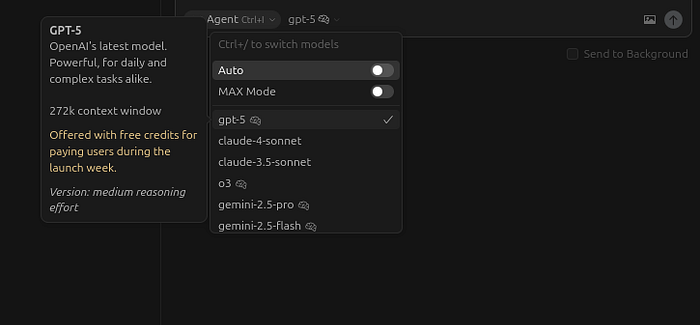
You can choose between two modes:
- Ask mode: Acts as your AI assistant to help you out.
- Agent mode: Takes the reins and handles changes with your confirmation.
💡 Tips for Better Results
Want to maximize the power of ChatGPT-5? Here are some pro tips:
- Be specific: Use short, clear prompts to get the best responses.
- Review everything: Always check changes before applying them.
- Ask for explanations: No more ambiguities—get plain English explanations for code diffs!
- Work in small chunks: Tackle modifications piece by piece for easier debugging.
- Keep testing: Regularly run your app to catch issues early.
📽️ Video with Real Use Cases
You can actually watch me demo how I transformed a simple to-do app into something more complex in about 10 minutes! Dive into the practical side of this feature.
👉 Watch on YouTube: ChatGPT-5 inside Cursor
🏁 Conclusion
Integrating ChatGPT-5 into the Cursor IDE turns it into your ultimate coding sidekick. Fear not, friend! It’s time to embrace this technology and unleash your coding potential. Give it a shot and let me know how it goes!
Cheers! 😉