Vibe Coding: Transforming the Future of Development
Vibe coding means that you basically don’t write the code yourself; instead, you convey the “vibe” of what you want to AI tools, and they generate the code for you. 🛠️
What is Vibe Coding?
A fun and new approach introduced by Andrej Karpathy of OpenAI, vibe coding lets you code using natural language. Imagine telling your AI, "Make me a weather app with funny icons," and voilà—your digital assistant creates the first version! You then tweak it with feedback. It’s like having a coding buddy who’s always caffeinated and eager to help!

Why is Vibe Coding Trending? 🚀
Vibe coding is gaining traction, and here’s why:
- Speed: Startups can leap from ideas to demos in mere days.
- Accessibility: Anyone, even complete beginners, can prototype without deep programming skills.
- Experimentation: Teams can swiftly test various ideas, letting go of the less successful ones.
Traditionalists might roll their eyes questioning if it’s truly coding. Spoiler alert: it’s both!
How to Do Vibe Coding: A Practical Example 📲
Let’s create a tiny study timer app with break reminders. No coding skills required; just follow these steps!
Step 1: Choose Your Tool 🔧
Pick your AI coding assistant and start a fresh chat.
Step 2: Define the Goal
Craft a one-liner that defines success:
Example Prompt:
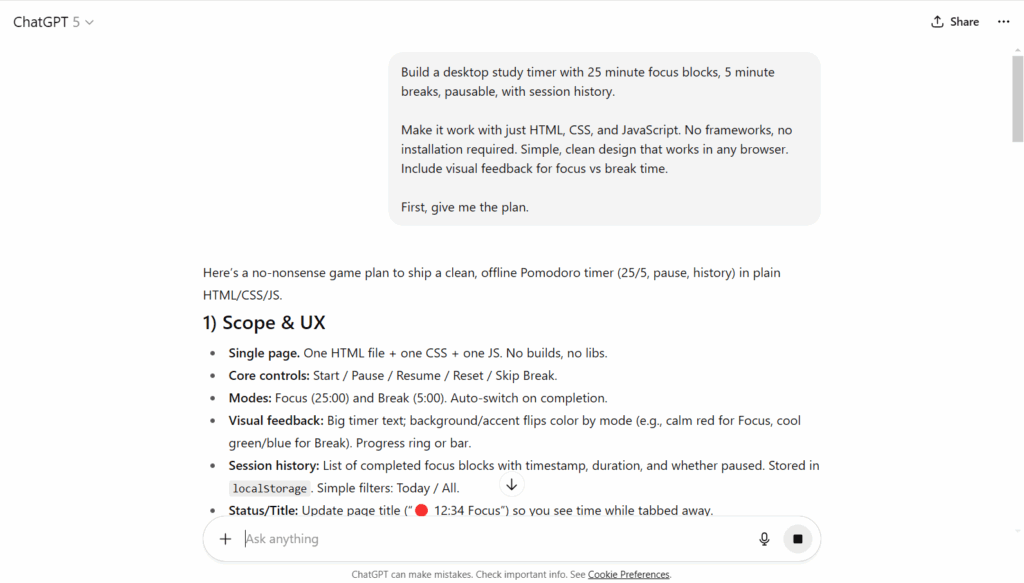
Build a desktop study timer with 25-minute focus blocks and 5-minute breaks.
Step 3: Set Clear Constraints 🔒
Add specifics: platform, tech preferences, and limits.
Example Prompt:
Make it work with just HTML, CSS, and JavaScript. No frameworks, no installations required. Simple and clean design for any browser.
Step 4: Ask for a Plan 📖
Example Prompt:
Give me a plan, file structure, and milestones before any code.
Step 5: Get the Complete Code 💻
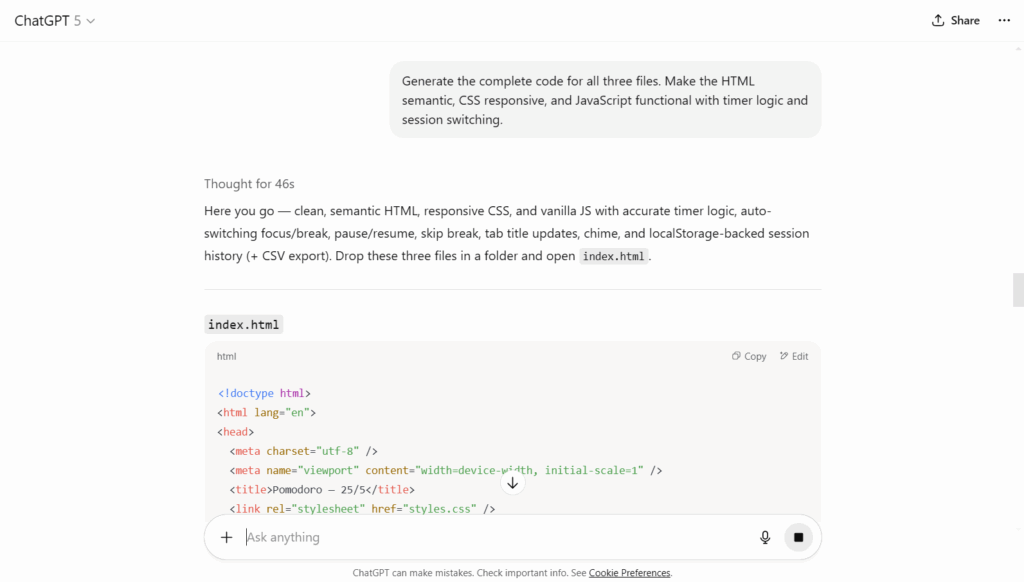
Example Prompt:
Generate code for all three files. Make the HTML semantic, CSS responsive, and the JavaScript functional.
Step 6: Create Your Files 📁
Make your files (index.html, style.css, script.js) and paste the respective codes.
Step 7: Get Testing Instructions 🔍
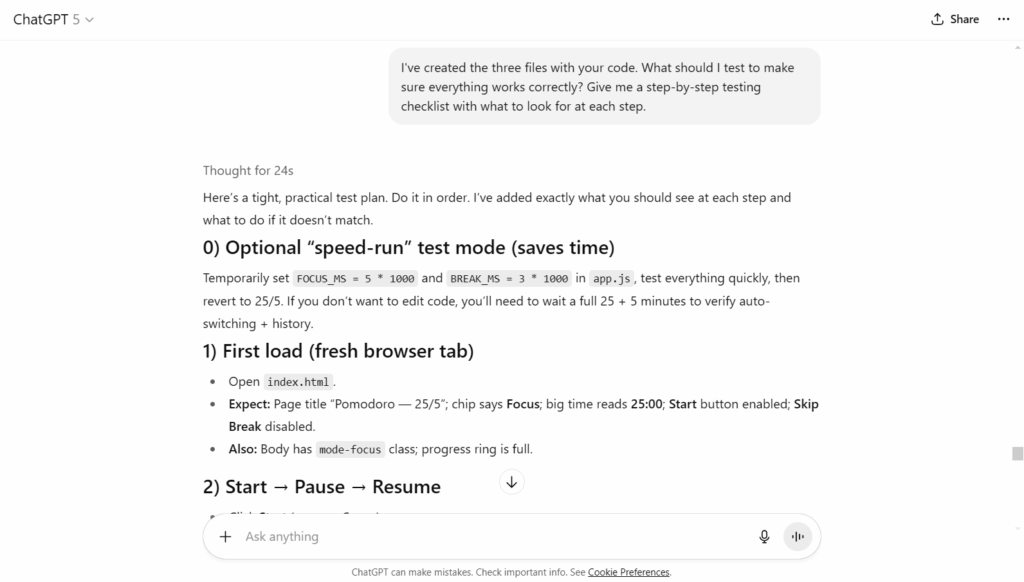
Example Prompt:
What should I test to ensure everything’s working? Give me a checklist.
Step 8: Ask for Debugging Help 🐞
Example Prompt:
I'm testing step X, and a specific issue happens. Can you help me fix this?
Step 9: Request Improvement Ideas 💡
Example Prompt:
What are five simple improvements I could implement? List them in order from easiest to hardest.
Step 10: Create Documentation 📜
Example Prompt:
Write a simple README for my study timer app with setup instructions, features, and troubleshooting.
Step 11: Final Quality Check ✅
Example Prompt:
Give me a checklist to ensure the app is ready. Include functionality, usability, and compatibility tests.
And there you have it! You’ve created a production-ready app without typing a single line of code!
Vibe Coding vs. Traditional Coding
Vibe coding isn’t here to completely replace the old school; it’s about blending it all together. It’s about trusting AI while maintaining your coding savvy.
A wise founder said: “I vibe code the boring parts, then step in when things get serious.” Balance is key!
The Takeaway
Vibe coding is reshaping how we develop software—making it conversational, faster, and more accessible. Beginners can dive right in, pros save precious time, and startups can revolutionize their projects. So, while the hype is real, it's the potential that's truly remarkable. In 2025, it’s less about typing and more about talking. The vibe is strong. 💪✨